Melbourne-based SDET. I deliver well-designed, robustly implemented, intentional browser, API and data pipeline test automation.
Favourite Things
- Test-driven development
- Continuous deployment
- Functional programming
- Well-architected cloud solutions
- The open-source ethos


My (kinda) Steam Machine
At the education-sector .com that kicked off my career, there was a running joke amongst the ops team that this year could be the year of linux on the desktop. This was repeated at least weekly, every year. This was around the time that ubuntu was first released, if that dates it for you. The point was that the industry would get giddy over the usability features of the latest and greatest distro - ximian, red hat, ubuntu - predicting it would displace Windows. Suffice to say that didn't happen - no amount of WINEs and GIMPs and OpenOffices could make up for the fact that hard coding display settings and debugging trackpad performance just wasn't something your average user had the patience for. I tried running linux as a desktop on various machines - as great as it was as a server OS, there were enough small annoyances that meant I'd rarely end up using it on a regular basis. What did happen, of course, was the rather more fashionable BSD distribution - Mac OS - steadily grew in popularity. For unix folk, you had the terminal tools you needed, growing application support, and beautiful hardware with no trackpad-debugging required. Mac OS has been a solid development environment for decades now, buoyed along by the fact that you need an apple environment to build iPhone apps. I've been a mac user since the release of OSX. Initially it was the usability of the ecosystem that kept me - iPhoto, Address book, the ease of seamlessly upgrading to a new machine with all data and customisation intact. Then, as I gradually ditched apple's ecosystem for other cloud offerings - evernote, google photos, dropbox and so forth - it's mainly the fact that there wasn't any other option. Apple makes excellent, if expensive hardware. Windows was a grind to use every time I've been professionally required to use it - WSL and PowerToys did make inroads but workflow customisation on Windows I always found painful, and limited. My requirements aren't huge: I bought a Steam Deck when I was doing regular big commutes - it is an awesome device, having all the game titles I already owned ready to play on a handheld was amazing. I didn't do a lot of research before buying it and I was astounded when I clicked on the 'desktop mode' out of curiosity and found it was running on a fully featured linux distro! I briefly tried to make my Steam Deck a viable work machine but soon found out what an 'immutable' OS was - I get the concept, but was prevented from installing a key remapper, so that was taken out of contention. I was intrigued by the Steam Machine release, and after re-housing my games PC in a fancy new compact case, I installed debian with KDE Plasma, steam and started playing around with my homebrew Steam Machine (...ish). The result was, well... I think I've converted. All of the sudden the macbook pro is sitting idle while I use my new debian box for work, games, organisation - everything. The advantages for my particular desktop-management and workflow concerns: Additionally, there's the general linux goodness that has stood the test of time: The downside? Device support is always going to be the linux achilles heel. I was briefly considering getting a usb fingerprint scanner for authentication, but this task starts with identifying the compatible chipsets and ... it's a degree of work far outweighing the convenience of biometric login. Hardware is going to be more limited and there is always going to be a bit of homework required. App support, likewise, is miles better than the app-impoverished 2000s, but it's nowhere near universal - linux will always be last in line behind Windows, Mac OS, iOS and Android - but, hopefully SteamOS will start to win users over. I never would have guessed that a gaming platform could be the killer app to drive the linux desktop into widespread acceptance, but hey, 2027 might just be the year of linux on the desktop. Or 2028, you never know.

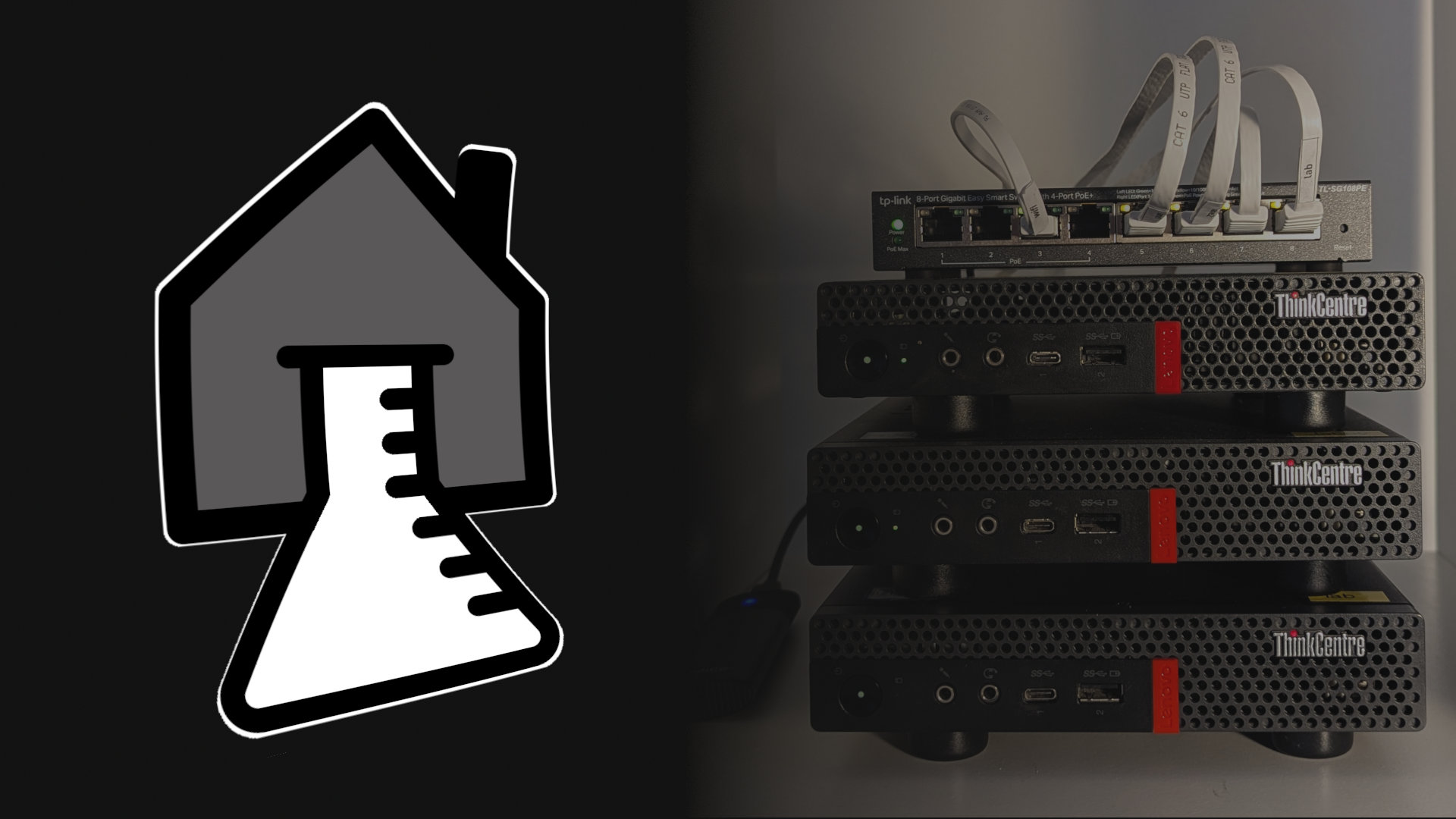
Elks? In my home network?
I've been running a home lab for around 6 months. More than any side project I've done, I've learned a lot. In terms of upskilling I'd put this experience somewhere north of completing 2 certifications and south of a year working in a tech startup. My initial goals were humble: So I got started with proxmox and opnsense and, well, one fully-featured self-hosted data centre here I am. Older, wiser, and with a world-weary mistrust of strangers borne out of watching network logs in real-time. On that note, flush with the success of implementing DHCP, firewall rules, DNS, VLANs, I decided I didn't like the out-of-the-box firewall log viewer in opnsense. On a whim I thought I'd just spin up a VM with the venerable ElasticSearch/Logstash/Kibana stack, add some custom logic (gist) to decode the opnsense rule output and add the rule name, and highlight in glaring red these sorts of outrageous home invasion attempts: More than any other home lab decision, implementing a discoverability solution that cynics might say is a little over-engineered for my purposes, this has cost an outsize amount of time in configuration and debugging. Here are some of the lessons I've learned: A few weeks after installing and configuring ELK, annoyed that my nginx logs were not being parsed as JSON, I spent a good few hours reconfiguring and testing filebeat, nginx and logstash. Nothing worked. Each service was working in isolation, and there weren't any network issues, but still my log was being displayed in kibana as a lump of ugly text. Eventually I found filebeat was working just fine - except it was pointed at the wrong address. So where were the logstash logs coming from? Had I stopped to read my notes I would have recalled trying out syslog-ng as a filebeat replacement - and leaving it in place. Being a habitual note-taker, I'd put this down, but when trying to fix the issue, had jumped onto the machine, looked at the command history and started tinkering away. Documentation is an essential part of networking engineering. And documentation works even better when read. I'm more mindful these days to stop and review before diving in. This was quite the change of perspective. As a career QA, logs are frequently my first port of call. Splunk is the best platform I've used in this area but whatever the tool - Kibana, Athena, S3 Select, CloudWatch or a cheeky As an amateur network engineer, logs are like a fast-growing garden. Without a degree of regular care, and without a plan, it gets messy. I initially devoted a 10GB drive to my elasticsearch store, with the idea of maybe provisioning more space in a couple of years. It filled it within the first week. If you're logging every request across your network, not only will it be rather a lot of data - it just won't be searchable. Many's the time I have re-ingested the index and heard the pitiable sound of the m920q's miniature fan cranking into high f#. I've tamed my digital hoarder's desire to log all the things, and with logrotate and elastic search lifecycles it's a lot more manageable. I'm astounded at the technology we have access to today. Not too long ago, a production-like testing web-server was likely a dedicated rack-mounted monster costing tens of thousands, and constant attention. These days it's containers and cloud computing in disposable environments costing next to nothing. Proxmox takes that one step further - bare metal virtualisation meaning you can run a personal data center on minimal hardware specs from your living room. When you have industrial-grade big tech at your fingertips, it's easy to get a little too enthusiastic. Kubernetes, ElasticSearch, Jenkins, Kerberos... why not? Spin it up! Well, there is a significant price tag to each. It would be hard to overestimate the time taken to implement even just my ELK stack. I'm glad I jumped into the self-hosting/home lab journey boots and all - it really has been an education - but after the initial investment I'll weigh up the time cost of adding that new component, no matter how useful it seems.

Document everything... then read it
Have a strategy for logging
sed,awk or grep - scrutinising the logs will always reveal something you didn't know. I could never understand why companies didn't keep a good year of logs at hand (at least!) - think of the insights you could glean!Start small

The Consultant Utility Belt
Spending most of my career in tech companies, I enjoyed working with technologies largely of my choosing. I have always been of the Open-Source bent, so monetary cost has seldom been a factor. The tools I use are familiar - there is a level of comfort - but I choose them for their functionality - I am substantially faster and more productive with them. The technology I tend to use to describe this is the json processing library - When I made the switch to consultancy I quickly learned not to become too attached to my favourite tools. You never have full say over which contract you'll be on next - and the Standard Operative Environment may differ radically from one to the next. Security and vendor lock-in means you largely use the tools you're given. It's here that I drew inspiration from the greatest technical consultant of all time - Batman. When confronted with a novel set of difficulties, Batman can rely upon the toolkit only Wayne Enterprises could provide, his Utility Belt. So, here are some of the portable toolkit items that keep me productive wherever I was deployed. If you have access and permissions to the chrome or edge extensions libraries, you're pretty much set. But if you don't, creating your own browser extensions is pretty accessible these days. In chrome, navigate to There's not a lot you can't do with VS Code and access to the extensions library - ssh into remote servers, interact with GitHub, but my favourite rather anachronistic extension is VSCodeVim - at first I tried it as a joke, I've now been using it daily for 5 years. So let's just say you have next to no access, and you need some kind of computing tasks done. My execution environment of last resort is Google Dev Tools -> Console. If I have nothing but notepad and chrome, there's a reasonable amount you can do with a javascript execution environment. As an example, I found myself needing to test the limits of how many times an in-page task could be completed - with no testing tools and no permissions to install any. I could either sit there and modify details and click 'submit' 180 times over the course of 10 minutes, or I could request jquery in the console and voila - pseudo-automation. If you've no IDE at all, there are many web-based IDEs, but github.dev takes my vote - all you need is a repository, and you've got a fully featured, free editor. This is my now my go-to as a travelling note-taking tool. If you do have install privileges to your machine, Windows Subsystem for Linux is a way to leverage a world of open-source developer tools. Or if that's not an option - if you have git bash, you may not have a full distro but a decent text processing engine. jq. Free, lightweight, well designed and - in its small way, kind of life changing. Once you become accustomed to it as part of your dev/testing process, it's pretty hard to do without.Browser Extensions
chrome://extensions/, enable Developer mode, and then click "Load unpacked" - you'll be able to load extension scripts downloaded from github. VS Code Extensions
In-Browser Scripts
Github Dev
Adding on the batcave

Julian's AWS Dollar Dazzlers
Studying for my Solution Architect Associate Certification I got a re-education in the constantly updating AWS product line. These are my latest dollar dazzlers - cheap, exceptionally useful product offerings to help having your cloud computing costs take less of a bite out of the old hip pocket. Because the only thing I love more than petabyte-scale computing is an old fashioned bargain From deep storage archiving to budget web site serving, S3 is for me the most versatile and cost effective AWS product. With EventBridge is a swiss army knife of event driven systems. Now offering scheduling, event filtering and fan-out, it can be a simple replacement for a complex chain of SQS/SNS/MSK pipes. The ease of which it is configured is the driver for me because time is money Likely a pattern as old as the hills but - especially for small enterprises with on-prem - hibernated instances are one cheap way to have ready disaster recovery. Hibernated instances charge only the EBS storage - so are a cost effective way to do fast and furious failover. This one comes with caveats - you could achieve the same thing with Fargate, and this solution could easily fall victim to 'out of sight, out of mind' neglect - you would need to keep the machines up to date. Now that Elastic IPs set you back a cool $3.60 a month whether attached or not, it's well worth updating to use IPv6, the plentiful, free alternative. You can manually assign an IPv6 address out of a CIDR to an ENI, pocketing the savings. S3 Select
S3 Select you can run simple queries against CSV or JSON objects - so if you aggregated and dumped a very large log file for instance, you can query it later from within S3. No Athena, no Cloudwatch, no setup at all. EventBridge
Hibernated EC2 Instances
IPv6 EIP

Jekyll and Hyde: the emotional rollercoaster of technical adoption
Originally posted on github.io If you can read this it means that I'm successfully running jekyll on my macbook air m2, which means I have around 60 open tabs, the fruits of searches such as: I kept my old intel macbook air as long as I could hold out, and in my last position working on OSX, held out on moving to an m1 macbook to forestall just this kind of sanity-draining pitched battle. I find the emotional rollercoaster of encountering issues wrangling a new or newly-required technology follows the arc: From there, we have three possible outcomes: I eventually abandoned up installing rvm and went with Homebrew ruby which means I'm limited to the latest version, and no gemsets unfortunately. However, jekyll is installed and happily serving away. Anyway, through the frustration of Well. From perl to ruby to javascript - it's exciting, blazing fast and bleeding edge one day, then legacy the next. I can recommend attempting to revive an old dev environment to temper the excitement of technical adoption.
rvm hell, it all made me somewhat nostalgic. I used to love ruby. I'd recently joined REA Group, going to work meant working with incredibly talented, personable people in a truly agile fashion. From Java, and Rational Functional Tester I moved to ruby, Cucumber, and the dizzying cornucopia of gems that made just about anything achievable in a few lines of code. I did the koans and marvelled at the more than one way mantra. I wrote a synching file management utility in ruby that tackled my growing .mp3 problem. I wrote a to-do list manager in ruby. I parsed and generated spreadsheets and scraped websites. I essentially wrote my own single serving 'myfitnesspal', coupled with garmin and fitbit scrapers, and dealt with the ensuing hair loss wrangling the rails assest pipeline.